
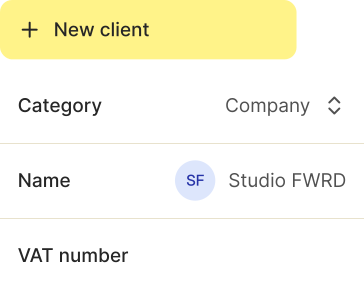
All your clients in one place — ready to be invoiced
Client data scattered across spreadsheets, addresses buried in emails, contacts you only remember by name — it costs you more time than you think. Shine's client management gives every contact a complete profile. Invoices get written faster, mistakes disappear, and you always know where you stand with each client.

Save addresses, payment terms, and invoice language once
See every invoice, quote, and payment per client
Add points of contact within client companies
Your clients, finally organized
Addresses, contacts, and terms are ready the moment you need them — no more digging around before you can write an invoice.
Get your time back, every day
No more manual typing, no more digging through old emails. All your client data in one place.
Really know your clients
Who generated the most revenue this quarter? Who still has an outstanding invoice? You'll have the answer in seconds.
Look professional
Every client gets invoices in their language, currency, and terms.

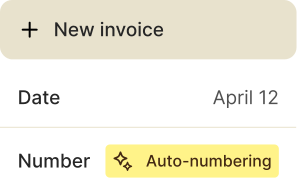
Client data, automatically filled in on every invoice
Add each client once with their name, address, email, and tax ID. As soon as you create a new invoice and select the client, Shine fills in every field automatically. Typos in client names or wrong addresses are a thing of the past.
All standard contact fields, incl. VAT ID
Automatically carried over to invoices, quotes & more
Quick search by name, company, or more
Manage primary and secondary contacts

Invoice history per client
Your client profile shows the entire history of your relationship: which quotes you've sent, which invoices are open or paid, and how much revenue the client has generated overall. No more digging through long lists.
Chronological overview of all documents and payments
Status per invoice: open, paid, overdue
Total revenue per client visible right in the profile
One click from history straight to the invoice

Individual terms for regular clients
Every client is different. Some pay in euros, others in Swiss francs. Some get a 10% discount, others have individual payment terms. Save these terms directly in the client profile — Shine applies them automatically to every new invoice.
Individual payment terms per client (e.g. 14, 30, or 45 days)
Choose any currency for international clients
Set invoice language per client, e.g. English
3 ways new contacts happen along the way
New contacts fit seamlessly into your existing workflow — whether you're writing an invoice, importing a list, or on the go in the app.
Right while writing an invoice
New client, not yet in the system? Add them directly from the invoice, and next time all their details are already there.
Whole lists at once
Bring your existing contacts over via CSV import. Minutes instead of days of typing.
Right after the meeting
Fresh from an appointment or networking event? Add the new contact in the Shine app before the business card disappears into your pocket.
Write an invoice for your first client
Meer dan alleen factuursoftware
Maak offertes en beheer uitgaven — jouw basis voor een efficiënte workflow, alles op één plek.


Frequently asked questions
Questions about Shine and client management? Here are some answers. If yours isn't listed, our customer service is happy to help.
It depends on your plan: the Free plan allows 5 contacts, Start allows 30. With Plus, there's no limit — add as many contacts as you need.
Yes. In the client profile, you set the language invoices are sent in — Shine applies it automatically to every new invoice.
Yes. You can add as many contacts as you like to any company client and assign them roles — e.g. accounting, project lead, or management.
Yes. As soon as you select a client while creating an invoice, Shine fills in the name, address, tax ID, and any saved terms automatically.
Yes. You can import your contacts via CSV file. Shine detects duplicates and helps you set up a clean contact book.
Yes. In the client profile, you can choose any currency — Shine will then create invoices automatically in that currency.
No. Shine protects you from that: you can't delete a client with open invoices, so you never lose important payment information.
Client management shouldn't feel like work
Keep all your client data within reach, and focus on what you do best.