
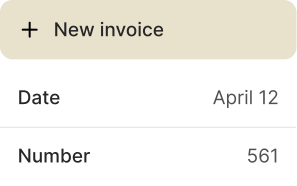
Invoicing without all the bureaucracy
Your project is finished and you’re already looking ahead to the next one. With fast invoicing, you’ll have the headspace to do exactly that.
More focus. Less invoicing stress
With Shine, you create invoices quickly and accurately — and can stay focused on running your business.
Save time for your best work
Projects instead of paperwork: Create invoices in minutes and free up more time for your clients.
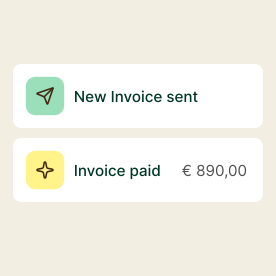
Once created, everything fits
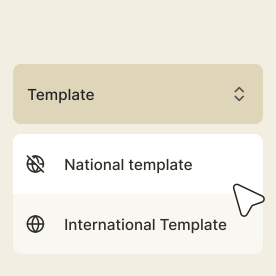
Smart templates ensure every detail is correct — so you never have to create the same invoice twice.
Always stay on top of things
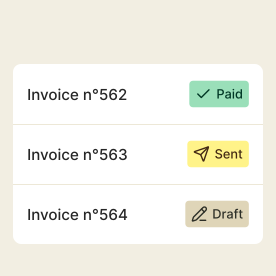
Always know which invoices are paid, open, or overdue. Everything in one place.
Clear, professional, accurate
Send clear, professional invoices and leave the best impression on your clients.
Practical features
Clean, effortless invoicing speeds up payments, keeps your business running, and frees you up for your next project.
Smart invoice numbering
Automatic, error-free numbering that helps you stay perfectly organised.
Start now
Custom, professional invoices
Add your own branding so your invoices always look polished and unmistakably yours.
Customise now
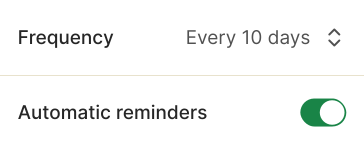
Automatic payment reminders
Follow up on overdue payments stress-free and keep your cash flow steady.
Try it for freeFAQs
Questions about invoicing? Here you’ll find some answers. If your question isn’t covered, our customer support team will be happy to help.
Yes. Once you’ve created your invoice, you can send it directly to your client from the app. You can also add an individual message when you send the invoice. If your client replies to that email, you’ll receive the response at your usual email address.
With set items and templates, you can follow a pre-defined workflow for your invoicing. This way, you’ll have to enter the correct information in the correct section in order to create the invoice. Additionally, we ensure that invoice numbers are unique and sequential and apply the correct VAT rate based on whether you’re invoicing a company in Germany or elsewhere.
Yes. You can customise your invoices in Shine. You can add your logo to create professional, branded invoices that meet legal requirements. In the Start and Plus plans, you can change colours and fonts. Shine gives you all the essential tools to personalise and send polished invoices quickly.
Yes. You can add any information into the invoice you need as Kleinunternehmer. (i.e. the standard “No VAT is shown in accordance with § 19 of the German VAT Act (small business regulation”). You can of course also write your invoices without VAT. v
Yes, you can create e-invoices in the Shine so that you’re completely compliant with German regulations for businesses operating in B2B. We support the X-Rechnung format.
More than just an invoicing tool
Create quotes and manage expenses – your foundation for an efficient workflow, all on one platform.


Getting paid shouldn’t be hard work
Get paid faster and focus on what you do best – with a platform that supports you throughout your entire workflow.